Billing: invoices, VAT and cancelling
What the terms say, in one place.
Pay monthly
VAT added
Find invoices
Cancel in account
The wording below is copied from the terms of service in force, so it cannot differ from them. The terms page is the authority.
3. Seats, price and VAT
You choose the number of seats. The subscription is billed per seat each month in advance by card through Stripe. We never see or store your card number.
The prices are shown on the pricing page and at checkout. Prices are net of VAT.
VAT is added according to your status and country: reverse charge for EU businesses outside Slovakia, Slovak VAT for Slovak businesses. For businesses outside the EU, the tax is what the checkout calculates. You give your company name and VAT ID at checkout, and the invoice states it.
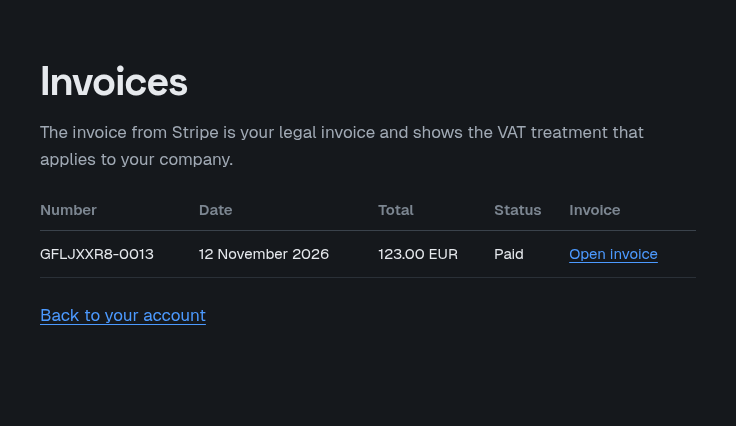
We e-mail you each invoice from [email protected].
7. Cancellation
The subscription renews monthly until you cancel it.
The team administrator can cancel at any time in the account on this website, under Subscription, with Cancel subscription (it opens the Stripe customer portal, as Manage subscription does). If that does not work for you, write to [email protected] and we cancel it for you. The cancellation takes effect at the end of the paid month. The licences end then, and the app locks at the end of the paid period: it no longer opens any model, including models converted earlier. A new subscription unlocks it again.
The statutory consumer right of withdrawal does not apply, because we sell to businesses only.
Where to find things
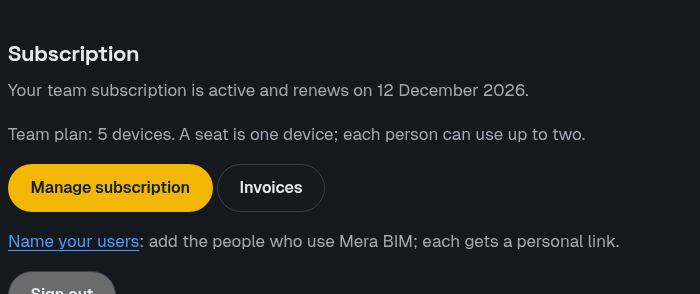
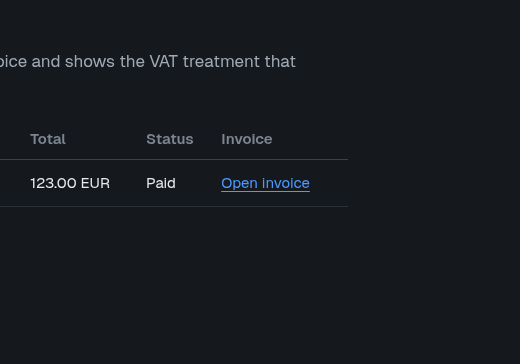
- Invoices: the Invoices button on your account page (team admins).
- Cancel: Account, then Subscription, then Cancel subscription. It opens the same Stripe page as Manage subscription. The cancellation takes effect at the end of the paid period.
- Payment method: Manage subscription (or Update payment method when a payment failed) on your account page.